![logo-small-print-color.png]](https://knowledgebase.ratedpower.com/hs-fs/hubfs/logo-small-print-color.png?height=40&name=logo-small-print-color.png)
This article will show you how to apply a different installation strategy for each type of restricted area (RA).
To do this, you need to click the "Layout" tab and then "RA setbacks". You will notice the different types previously created, and can start characterizing them based on:
- RA Name
- RA Color
- Fence strategy
- Setbacks
- Road strategy
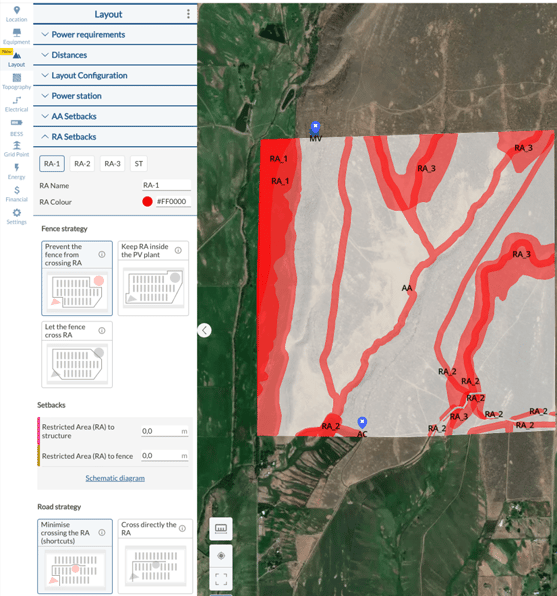
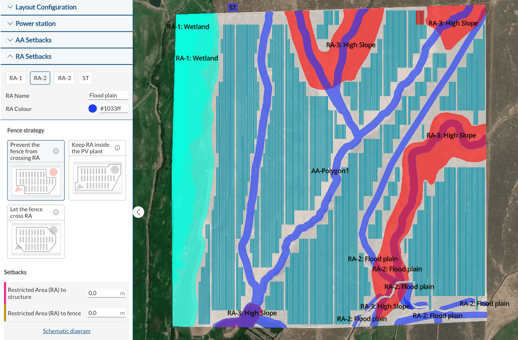
RA Name and Color
For these two points, you can simply name the specific type it represents, such as wetlands, flood plains, or others, as well as be able to choose any color you would like.
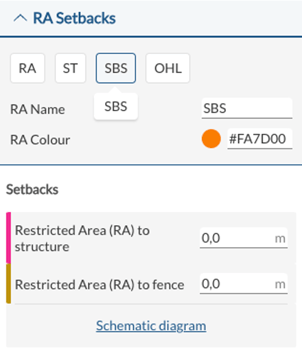
Note that for elements such as substation (ST) and SBS (Switching & Breaking Station), you can only modify the name, color and setbacks. But for the Overhead line (OHL) you have the full customization including the fence and road strategy.
Fence Strategy and Setbacks
There are 3 options available for the fence around the restricted areas, where the users can also define the setbacks between the RA and structures, as well as the RA and fence: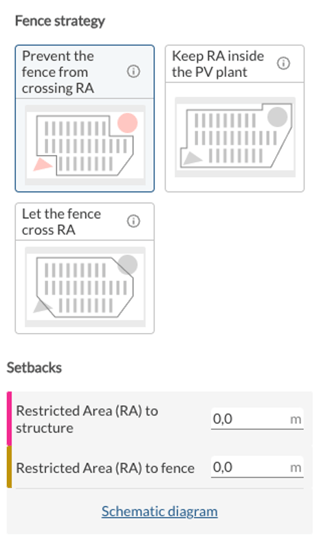
- Prevent the fence from crossing the RA
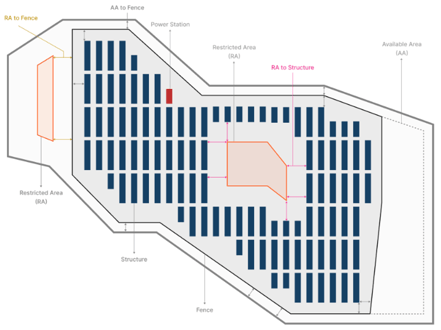
- Keep RA inside the PV plant
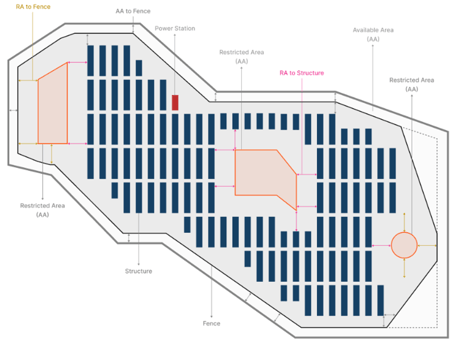
- Let the fence cross RA
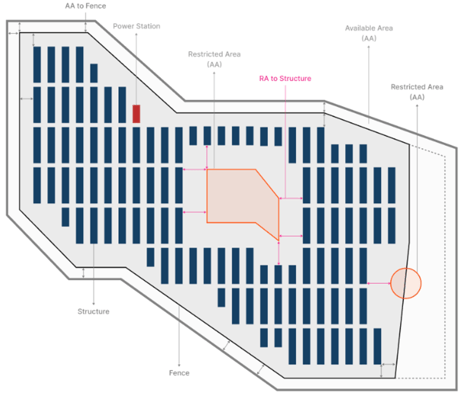
Road Strategy
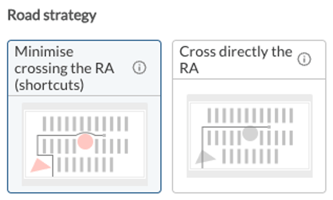
On the road strategy, you have two options:
- Minimize crossing the RA- this option allows the user to minimize having the road crossing the RA as much as possible. Here, the software will create shortcuts around the RA to avoid crossing it.
- Cross directly the RA- As the name suggests, this option will allow the software to place a road crossing the RA whenever necessary.
Deliverables
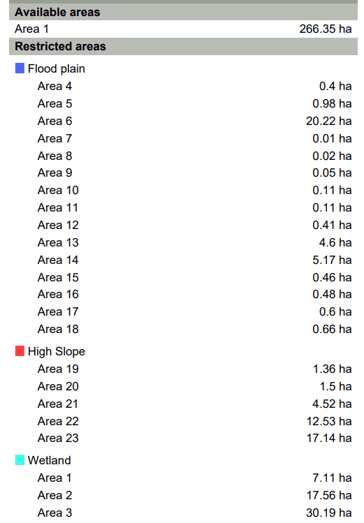
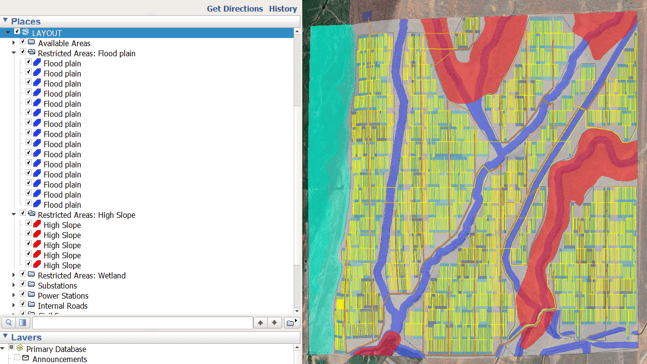
Once you generate the designs and are ready to export the documentation, those areas will be reflected in the Design Report and the General Layout.
- Design Report
- General Layout
In case you need to modify anything in your site including the size of any polygon, or add or remove any element, please refer to the article "How to upload different types of restricted areas to RatedPower" for more information.
For any other questions or more information regarding this topic, you can contact us at: support@ratedpower.com