![logo-small-print-color.png]](https://knowledgebase.ratedpower.com/hs-fs/hubfs/logo-small-print-color.png?height=40&name=logo-small-print-color.png)
This article explains how you can create an overhead line (OHL) to connect your PV plant to the electricity grid and will highlight some helpful hints in doing so.
What are overhead lines?
An OHL is a user-defined path that can be used for the following purposes:
- Connect a switching and breaking station (SBS) to a substation (ST)
- Connect a substation (ST) to a pooling substation (ST)
- Connect the highest voltage level interconnection facility (depending in the connection schema this could be SBS or ST) to the grid interconnection point
To find out what interconnection facilities you can define and how to connect them, give a look to this article.
How to create custom overhead lines
There's two ways that you can create OHL. One would be to do it on Google Earth and upload the file to RatedPower. And the other would be to create it using the site creator inside the software.
Site creator:
After getting into the site creator interface (as per the article on how to create a site directly inside RatedPower), you will be able to select the "Path" box, and choose overhead line.

Google Earth:
After defining your site's KML/KMZ file (as per the article on how to create a site), you can define an OHL following these steps:
1. Open the site's KML/KMZ file in Google Earth (desktop edition).
2. Inside the initial site folder use the path tool to define the OHL. The dedicated name for your path should be “OHL”
Right-click on the initial site folder and go to Add → Path
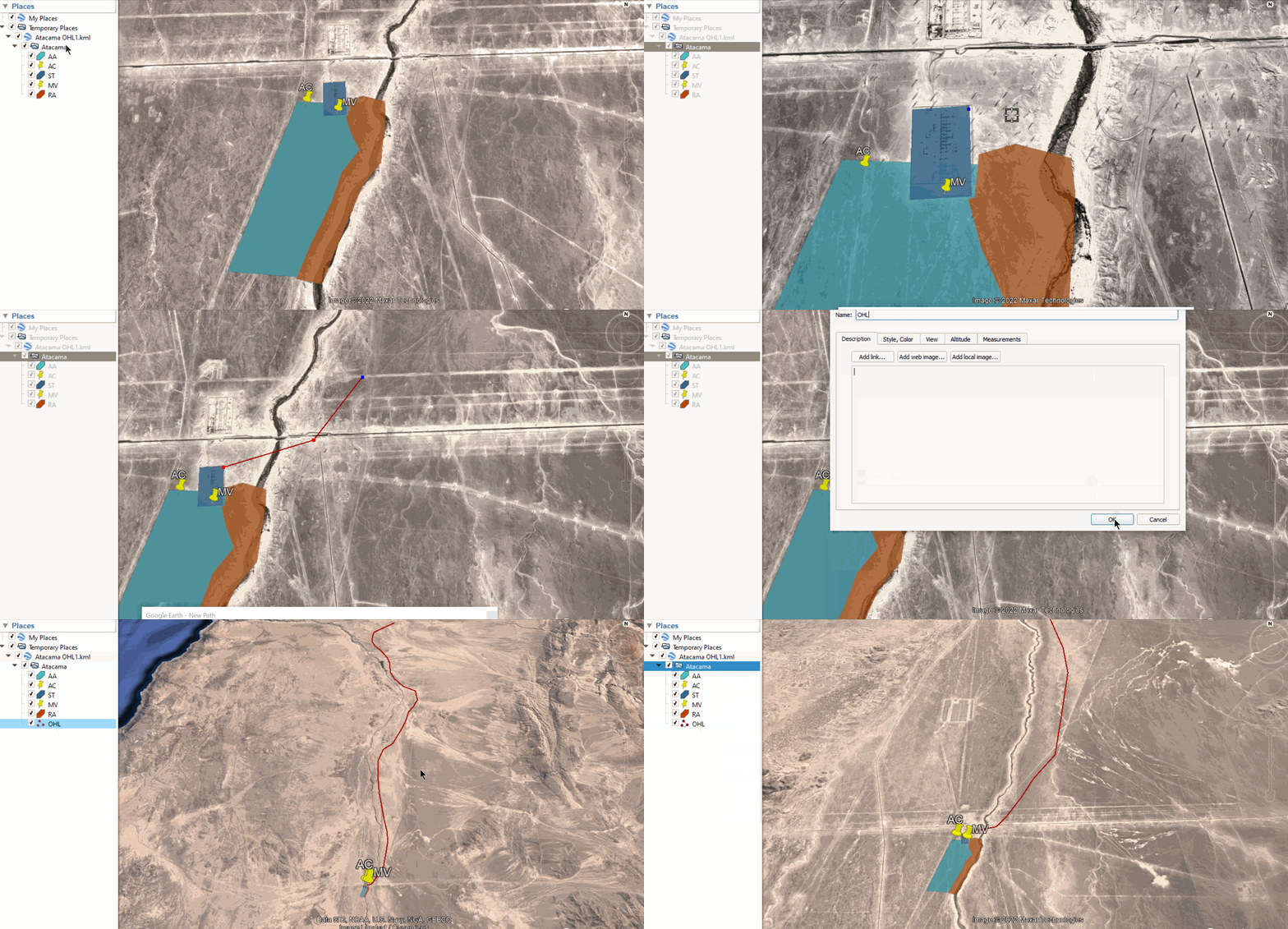 3. The final step is to save the whole folder (in other words the main folder) as a KML or a KMZ.
4. You can now upload the KML or KMZ file to RatedPower. Done!
Helpful Hints
There are some special cases and conditions needed to use this tool:
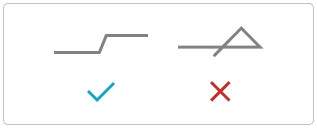
- The OHL should not intersect with itself
- When placing the overhead power towers, RatedPower excludes their installation over restricted areas except for angle towers.
- RatedPower will assess all the points defined in the path by the user, but might remove or add points if necessary to define the position of each tower.
- Warnings might be displayed in the design process inside the grid point tab due to possible inconsistencies in the OHL characteristics. However, the documentation will still be generated, and these warnings will be included in the final report. This ensures that all relevant information is accounted for, and any potential issues identified are clearly flagged for further analysis.
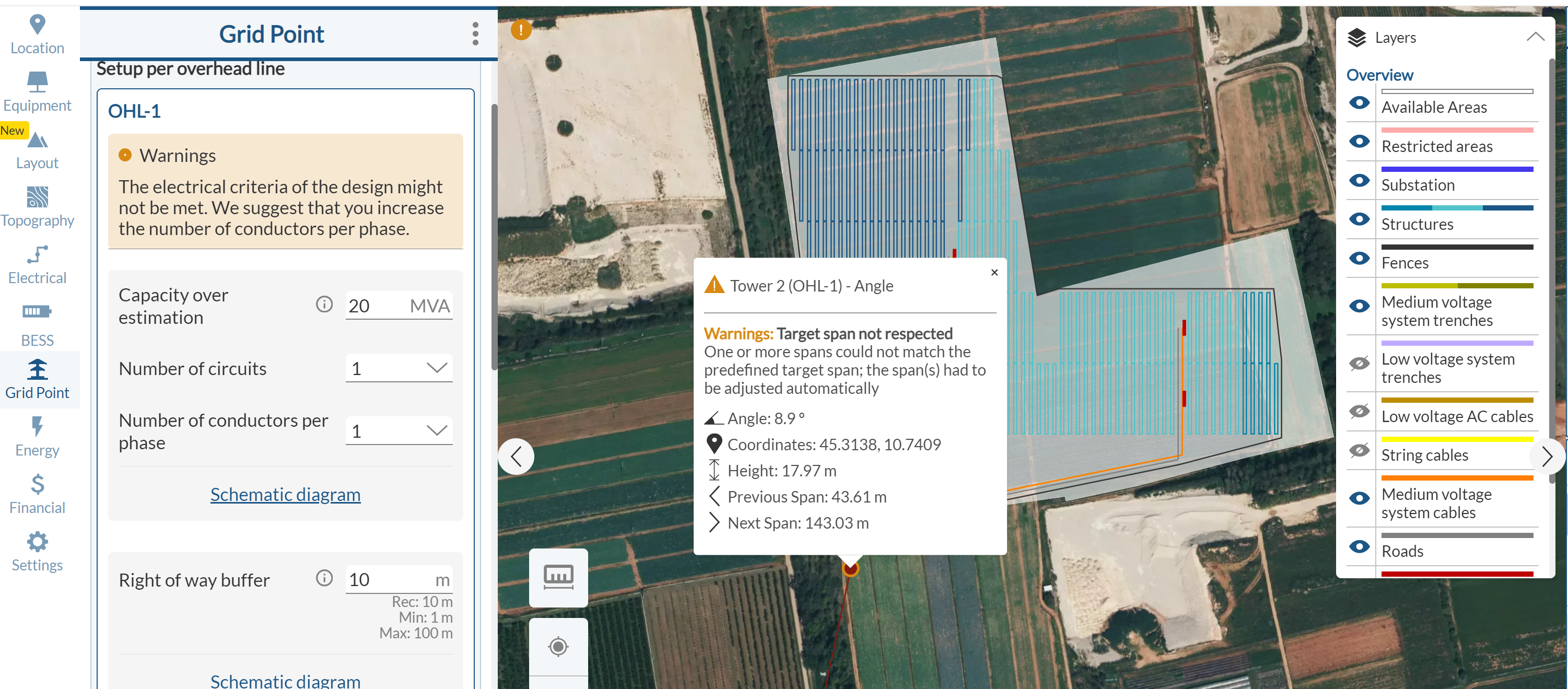
To solve these issues, you can follow the instructions displayed in the warning or contact support directly.
For any other questions or more information regarding this topic, you can contact us at: support@ratedpower.com