![logo-small-print-color.png]](https://knowledgebase.ratedpower.com/hs-fs/hubfs/logo-small-print-color.png?height=40&name=logo-small-print-color.png)
Step-by-step guide
Financial wise, RatedPower offers four different choices to the user for defining the energy selling profile of their pv plant.
By default, all simulations will be using a fixed revenue price for the energy selling with a generic value as well as a generic escalation factor.
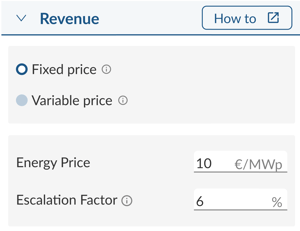
Alternatively, users can also upload a variable revenue profile for a much precise analysis by following this steps:
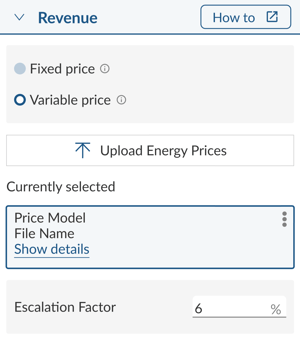
- In the Financial tab, under the "Revenue" section, click on the option where it reads "Variable price":
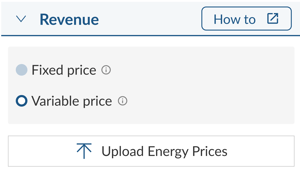
- When clicking on "Upload Energy Prices", the following window will pop up.
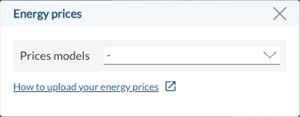
- To view all available price models, click on "Prices models" drop-down menu:
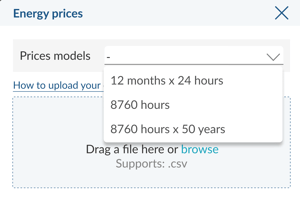
- Select, among the three variable price options, the revenue profile model of your preference for your financial analysis:
- Finally, once the revenue profile has been selected, use the corresponding template and upload it in CSV format. If you wish, you can also define a year-on-year scaling factor.
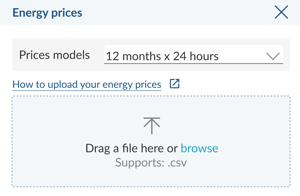
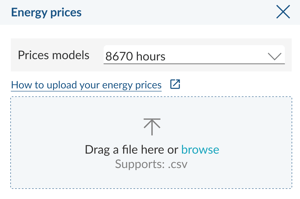
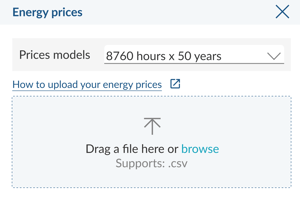
Here you can download all different variable revenue profiles templates: 12 months x 24 hours | 8760 hours | 8760 hours x 50 years
You will just need to only fill in prices columns with your desired values , saved the file as CSV format and upload it to RatedPower by selecting the corresponding option in the drop-down list.
Once you have your variable revenue profile uploaded, by clicking on ‘Show more/less’ you will see all the different revenue profiles that were previously uploaded to this design.
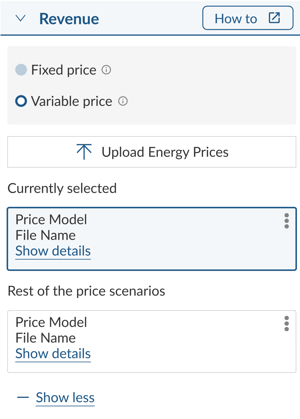
Finally, clicking on ‘show details’ will expand the card where the user can see more detailed information about pricing.
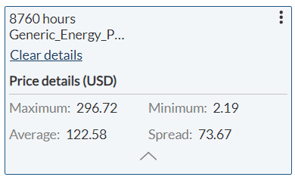
- Maximum: First year maximum energy selling price.
- Minimum: First year minimum energy selling price.
- Average: First year average energy selling price.
- Spread (First year average daily spread): The first year average of the differences between the maximum and minimum daily prices.
For any other questions or more information regarding this topic, you can contact us at: support@ratedpower.com